
Set your password from the welcome email
Your first password is set from the link in the email Your SpamDuster instance is ready. No password is ever sent by email.
- Open the link under Set your password here in the email. It opens the Reset your password page of your console.
- Enter
adminin Username or email and select Send reset link. - Open the email Reset your SpamDuster console password and select its link. The link works once and expires after 60 minutes.
- Choose a password of at least 10 characters.
Sign in to the console
Sign in at the Console address from your welcome email.
- Go to your console address, for example
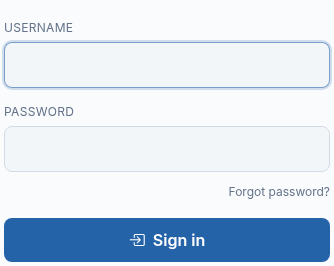
https://123456.customer.spamduster.com/. - Enter your Username and Password.
- Select Sign in.
Confirm your profile on first sign-in
The first time you sign in, the console opens My profile and asks you to confirm your name and set a new password. The rest of the console stays locked until you do.
- Enter your Name and Email address. Use an address you read: password resets and alert emails go to it.
- Enter a new password in New password and again in Confirm new password.
- Enter the password you just set in Current password.
- Select Continue.
If the password reset link has expired
A password reset link works once and for 60 minutes. If it has expired or was already used, request a new one from the sign-in page: select Forgot password?, enter your username or email, and select Send reset link. See I can't sign in to the console.
How long a console session lasts
The console signs you out after 30 minutes without activity. Sign in again to continue; nothing you saved is lost.
Updated 2026-10-26Need help? Open a ticket in the billing portal.