
Dashboard
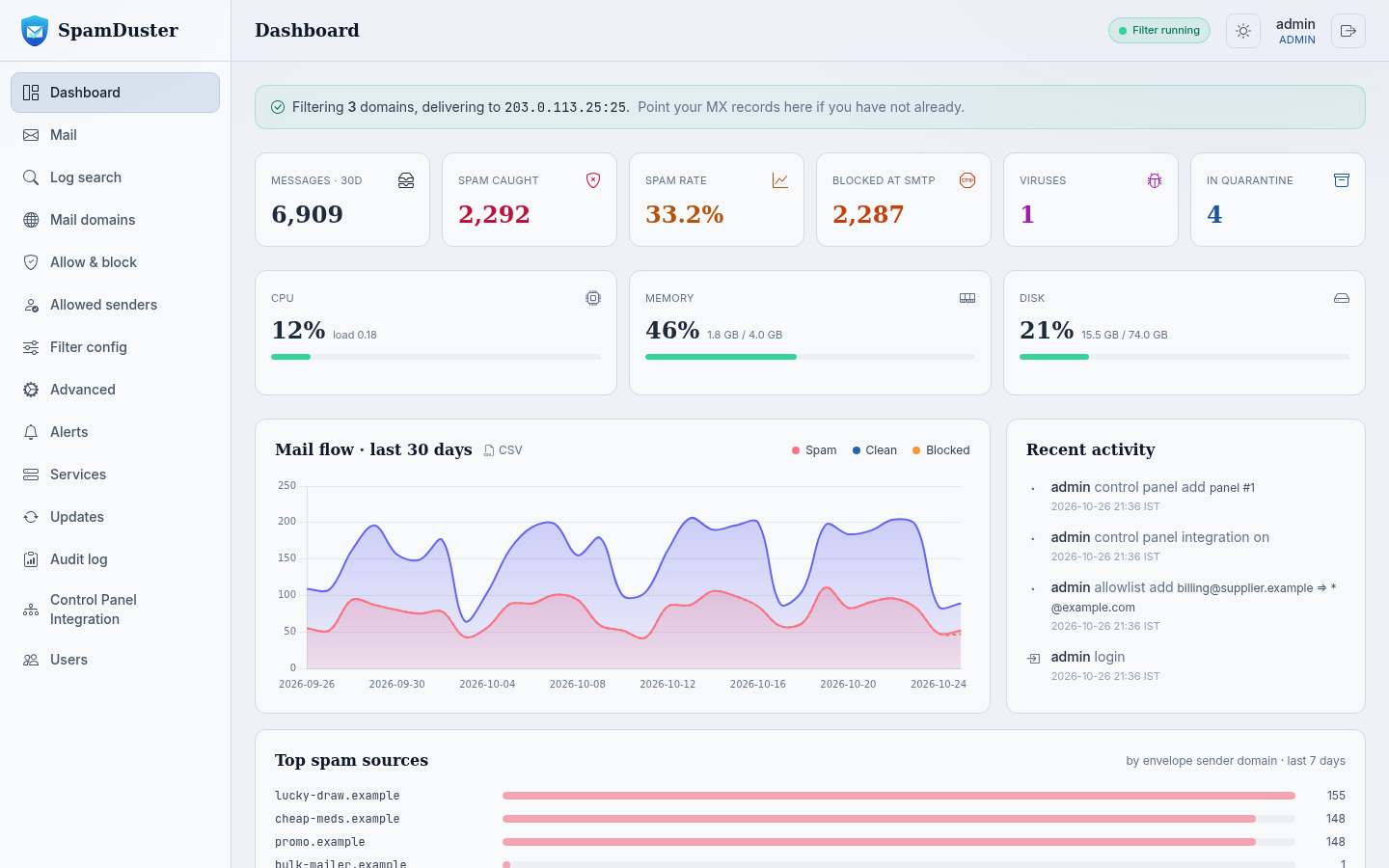
Dashboard shows the last 30 days at a glance: messages, spam caught, the spam rate, mail blocked at connection time, viruses, and messages in quarantine, plus your server's CPU, memory and disk use, a mail flow chart and the top spam sources. Until setup is complete it shows the Finish setting up your filter checklist. See Get started with SpamDuster Cloud.
Mail holds copies of blocked and delivered mail in the folders Spam, Not spam, Accepted, Discarded, Viruses and Phishing. Review, release and correct mail here. See Review blocked mail.
Log search
Log search finds any message in the mail log and shows what happened to it, with a delivery receipt for delivered mail. It also sets how long mail logs are kept. See Find a message and prove it was delivered.
Mail domains
Mail domains lists the domains SpamDuster accepts mail for. See Add your mail domains.
Allow & block and Allowed senders
Allow & block holds the IP addresses and senders that are always allowed or always rejected. Allowed senders lets chosen senders skip the spam and phishing checks for one of your domains or mailboxes. See Block senders and IP addresses and Allow a sender.
Filter config
Filter config holds the main detection checks, greylisting, blocked attachment types and phishing detection. See Change the filter's detection settings.
Advanced
Advanced holds the destination mail server, the test message, how much of each message is stored, DNS servers, stored-mail pruning, the time zone, the custom hostname, the certificate, the scheduled restart and virus scanning. See Set your destination mail server.
Alerts, Services and Updates
- Alerts shows the monitors and their alerts. See Alerts and notifications.
- Services shows each service and lets you restart it. See Check and restart the filter's services.
- Updates shows the installed version and lets you check for an update now. See How SpamDuster updates itself.
Audit log
Audit log records every change made in the console: when, by which user, from which IP address, and what changed. Search it by target, details, user or IP address, or filter it by action.
Control Panel Integration
Control Panel Integration connects cPanel & WHM, Plesk on Linux or Windows, and DirectAdmin servers so their domains stay in sync. See Connect a hosting control panel.
Users and My profile
Users manages console accounts. My profile, opened from your name at the top right, holds your own name, email address and password. See Add and manage console users.
The header
The top of every page shows Filter running or Filter stopped, a button to switch between the light and dark theme, your name, and the sign-out button.