
What Log search shows
Log search finds a message in the filter's mail log and shows what happened to it: the filter's verdict and, for delivered mail, the reply your destination mail server gave when it took the message. It covers every message, not only the ones kept on the Mail page.
Mail logs are kept for 90 days unless you change it. See Change how long mail and logs are kept.
Search for a message
- In the console, open Log search.
- Set the dates in From and To.
- Fill in what you know: Sender, Recipient, Subject, or Message / queue id. Leave the rest empty.
- Optionally, pick a Result: delivered, blocked / refused or temp-failed.
- Select Search.
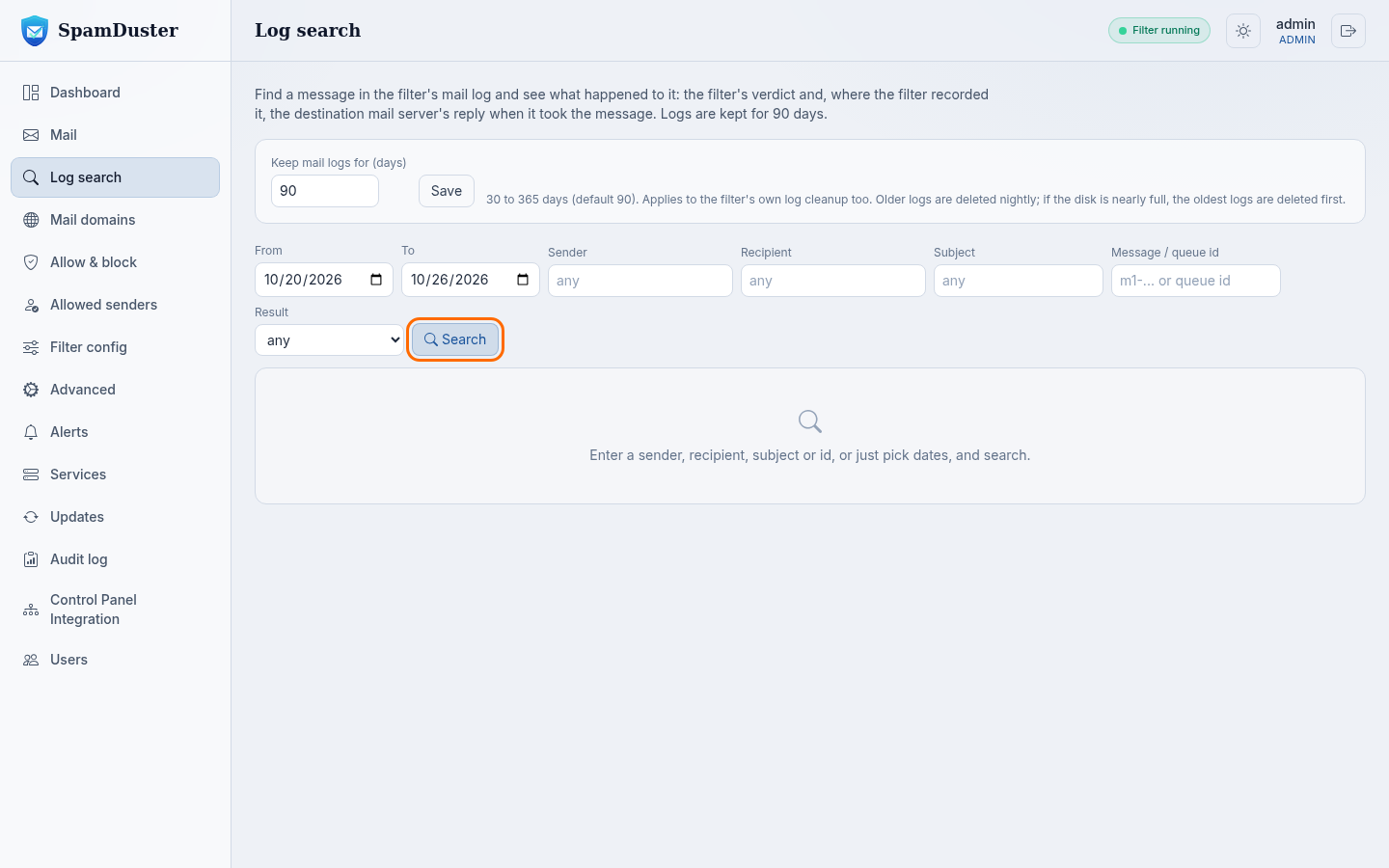
The results list each message's Result and the Destination reply. Select a message to see its details.
Prove a message was delivered
Yes, SpamDuster can show proof of delivery for a message it delivered. Open the message from the search results. Its Delivery receipt shows when your mail server accepted it and the reply it gave, which usually includes your server's own queue id for the message.
- Select Printable receipt to print the receipt or save it as a PDF.
- Select Text or CSV for a copy to attach to a ticket.
Give the queue id from the receipt to whoever runs your mail server: it lets them find the same message in their own logs.
If the message is not in the results
- Widen the dates and remove filters one at a time.
- Check that the recipient's domain is on Mail domains. Mail for a domain that is not listed is refused before it is logged as a delivery.
- If the message is older than the log retention period, its log entries have been deleted.
- If the sender says they sent it but it is not in the log at all, it never reached SpamDuster. Ask the sender for the bounce or error they received.