
What SpamDuster monitors
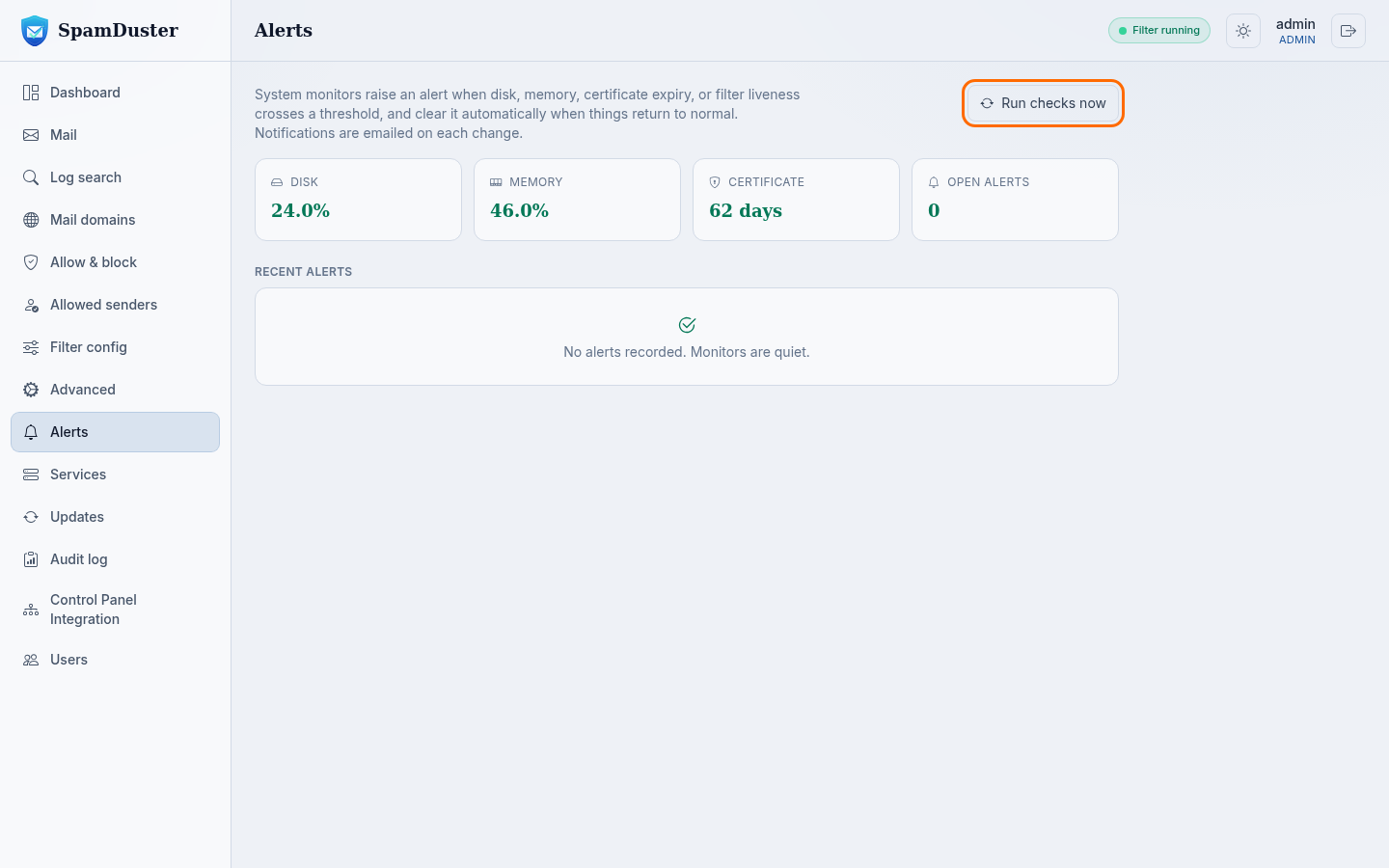
SpamDuster checks your server regularly and raises an alert when one of these crosses a threshold:
- disk space;
- memory;
- the TLS certificate's expiry date;
- whether the filter is running and accepting mail;
- phishing detection.
Each alert is warning or critical, and becomes resolved by itself when things return to normal.
See current alerts
Open Alerts in the console. It shows the state of each monitor, the open alerts and the Recent alerts history. To check again now rather than wait for the next scheduled check, select Run checks now.
Who receives alert emails
Alert emails go to the email address of the first administrator account, set in My profile. Each email names the monitor and its new state; the details stay on the Alerts page. To change the address, see Change your password or email address.
What to do about an alert
- Disk or Memory: open a ticket so we can look at your server. See Open a support ticket.
- Certificate: check that your hostname still points at your SpamDuster server. See Use your own hostname for the filter.
- Filter liveness: SpamDuster tries to restart the filter by itself. If the alert does not clear within a few minutes, restart SpamDuster Engine on Services, then open a ticket if it still does not clear.
Updated 2026-10-26Need help? Open a ticket in the billing portal.